


To avoid Steam scams and phishing, treat every login link, trade request, and "verification" message as untrusted until you confirm it inside the official Steam client or Steam Mobile app. Use Steam Guard, unique passwords, and clean devices, and act fast if anything looks off: revoke sessions, change credentials, and stop trading until you regain control.
Top defensive measures at a glance
- Only sign in from the Steam client or by typing the official Steam address yourself; never from DMs or pop-ups.
- Enable Steam Guard (Mobile Authenticator) and keep your recovery email and phone number up to date.
- Use a unique long password + a password manager; do not reuse it across games, forums, or trading sites.
- Verify links and domains before logging in (วิธีเช็คลิงก์ฟิชชิ่ง Steam ก่อนล็อกอิน) and close anything suspicious.
- Pause all trades immediately if you suspect compromise; remove API keys and revoke active sessions.
- Keep your PC and browser clean: updates, malware scan, and fewer extensions.
How Steam-targeted scams and phishing operate: attacker techniques
These scams target anyone who trades skins, uses community market features, joins tournaments, or clicks Steam-related links in Discord/Facebook/LINE. They usually succeed by moving you off the official Steam sign-in flow, stealing your session/token, or tricking you into approving a trade you didn't intend.
When this guide is not enough: if you cannot access your email/phone, or your Steam account email/phone was changed and you're fully locked out, go straight to Steam Support recovery (วิธีกู้บัญชี Steam ถูกแฮก) instead of troubleshooting for hours.
- Fake login pages (classic phishing): a "Steam Community" look-alike page asks you to sign in, then captures credentials and sometimes the Steam Guard code.
- Session hijacking: malware or a malicious browser extension steals cookies/sessions so the attacker can act without your password.
- Impostor staff/admin: a profile claims to be Steam Support, a game moderator, or a "trade verifier" and pressures you to comply.
- Trade bait-and-switch: the attacker swaps items at the last second, uses similar item icons/names, or uses multiple accounts to confuse you.
- API key abuse: you unknowingly authorize an API key; the attacker then automates trade redirects or confirmations.
Recognizing malicious links, impostor profiles, and fake trade offers
You'll need: access to Steam Desktop Client or Steam Mobile app, your email inbox, your phone (for Steam Guard confirmations), and 5-10 minutes to review account security screens. Optionally: a reputable antivirus/anti-malware tool (โปรแกรมแอนตี้ไวรัสป้องกันฟิชชิ่ง Steam แนะนำ) and a password manager.
| Mitigation | Speed | Difficulty | Effectiveness | Best for |
|---|---|---|---|---|
| Enable Steam Guard Mobile Authenticator | Fast | Medium | High | Stopping unauthorized logins and reducing trade theft |
| Revoke sessions + remove unknown devices | Fast | Easy | High | Immediate containment after suspicious activity |
| Change password (unique) + email security check | Medium | Medium | High | Credential theft and reused-password breaches |
| Remove Steam Web API key (if present) | Fast | Medium | High | Trade redirect / automation abuse |
| Malware scan + browser extension cleanup | Medium | Medium | Medium-High | Session hijacking, persistent phishing, credential stealers |
Practical checks before you click or log in
- Start from inside Steam: open the Steam client and navigate to the page from within (Store/Community/Market) instead of following a message link.
- Type the address yourself: when in doubt, manually enter the official Steam site in your browser rather than clicking "Sign in through Steam".
- Look for "forced urgency": "you will be banned in 10 minutes", "verify now", "limited-time prize" are pressure tactics.
- Confirm identity out-of-band: if a friend "needs help", confirm via a different channel (call them, new chat) before trading.
- Never share codes: Steam Guard codes and recovery codes are for you only; real support will not ask for them.
Common impostor profile tells
- New account, low activity, copied avatar/name, and a profile description packed with links.
- Claims of being "Steam admin/mod" but communicates only via chat/Discord and refuses official support channels.
- Asks you to "send items for verification" or "trade to secure inventory".
Immediate steps to secure a compromised Steam account
-
Stop all trading and purchases immediately
Do not "try one more trade" or keep negotiating; every minute helps the attacker. Tell friends not to trust DMs from your account until you confirm control.
-
Change your Steam password from a clean device
Use the Steam client if possible. Pick a new unique password you have never used anywhere else.
- If you suspect malware, do this from a different device first (phone/tablet), then clean the PC.
-
Secure the email account tied to Steam
Reset the email password, enable 2FA on the email provider, and review recent login/activity. If your email is compromised, Steam security changes won't hold.
-
Revoke active sessions and deauthorize devices
In Steam, go to Steam > Settings > Security and use the option to sign out of other devices/sessions (wording may vary). This invalidates stolen sessions.
-
Check Steam Guard and restore it to your phone
Verify Steam Guard is enabled and that your Steam Mobile Authenticator is on your device (ป้องกันบัญชี Steam โดนขโมย วิธีตั้งค่า Steam Guard). If it was changed, begin recovery via Steam Support.
-
Remove any Steam Web API key you did not create
Open Steam in a browser you trust and search for the Steam Web API key page; if a key exists and you didn't set it, revoke it. This is a common cause of "trades keep getting redirected".
-
Scan for malware and clean your browser
Run a full system scan and remove suspicious extensions, "coupon/find skins" add-ons, and unknown downloaders (โปรแกรมแอนตี้ไวรัสป้องกันฟิชชิ่ง Steam แนะนำ). Then update your OS and browser.
-
Review trade history and report fraudulent activity
Check Inventory > Trade Offers > View Trade History and the Market history. Save links/screenshots and report the involved accounts through Steam reporting tools.
Fast mode: 4-step containment
- Change Steam password (from a clean device) and secure your email password + email 2FA.
- Sign out of all other devices/sessions and verify Steam Guard Mobile Authenticator is yours.
- Revoke any Steam Web API key you didn't create; stop all trading until stable.
- Full malware scan + remove suspicious browser extensions; then re-check trade history.
Long-term hardening: passwords, 2FA, Steam Guard and device hygiene
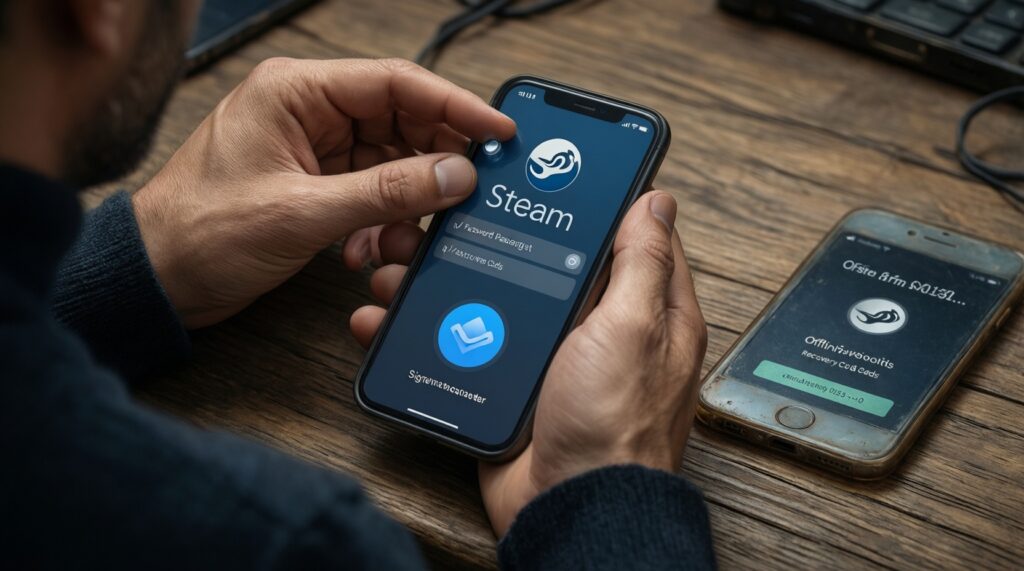
- Password is unique, long, and stored in a password manager (no reuse on trading sites/forums).
- Steam Guard Mobile Authenticator is enabled and the recovery codes are stored offline.
- Email account has its own unique password + 2FA, and recovery phone/email are current.
- Steam is signed out on old PCs/internet cafés; only your current devices are authorized.
- No unknown Steam Web API key exists; if you don't need one, keep it revoked.
- Browser has minimal extensions; none that inject coupons, "skin helpers", or unknown script tools.
- OS, browser, and Steam client are updated; downloads only from trusted sources.
- Trading confirmations are double-checked on the Steam Mobile app before approving.
- You can explain your personal rule for links: "I don't log in from DMs" (วิธีเช็คลิงก์ฟิชชิ่ง Steam ก่อนล็อกอิน).
Safe trading and marketplace best practices with verification checklist
Use this to reduce risk when buying/selling items and when someone pushes you to use an external site. For Thai users searching "ซื้อขายสกิน Steam อย่างปลอดภัย เว็บเทรดเชื่อถือได้", the safest baseline is: verify inside Steam first, do not rush, and treat off-platform promises as untrusted until proven.
Verification checklist before you accept a trade
- Open the trade offer from Steam client (not from a chat link).
- Confirm the account ID and profile are the same person you intended (not just similar name/avatar).
- Check every item line: rarity, wear/float (if relevant), and quantities.
- Reject any request to "send items first for verification", "temporary hold", or "ban prevention".
- Read the confirmation in the Steam Mobile Authenticator carefully before approving.
- If the other party changes terms mid-trade, cancel and restart later.
Frequent mistakes that lead to losses
- Logging in via a link from Discord/LINE/FB instead of typing the official Steam address.
- Believing "Steam admin/mod" claims in chat and sharing codes or screenshots.
- Accepting "verification trades" or "item checking" offers.
- Approving a mobile confirmation without reading the item list.
- Reusing passwords across Steam, email, and trading communities.
- Keeping a Steam Web API key enabled "just in case" and forgetting it exists.
- Installing "trade helper" extensions or cracked tools that silently steal sessions.
- Continuing to trade while you suspect compromise, giving the attacker more chances.
Incident response playbook: reporting, evidence preservation, and recovery timeline
Use these alternatives depending on what you still control (Steam login, email, phone). Pick the fastest path that restores ownership and blocks further trades.
Option 1: You can still log in (best-case containment)
- Follow the "Immediate steps" above, then keep trading disabled for a while and monitor new logins/trade attempts.
- Report the scam accounts and preserve evidence (screenshots, trade offer links, chat logs).
Option 2: Password works, but Steam Guard/email was changed
- Do not negotiate with the attacker. Start Steam Support recovery immediately (วิธีกู้บัญชี Steam ถูกแฮก).
- Secure your email/phone provider accounts in parallel to prevent repeated takeover.
Option 3: Fully locked out (no email/phone access)
- Recover email/phone first (provider support), then submit Steam account recovery with as much proof as you have.
- Stop all external "help services"; many are secondary scams targeting victims.
Option 4: Repeated re-compromise after fixing passwords
- Assume device/session theft: clean the system, remove extensions, rotate passwords again from a clean device.
- Keep Steam Web API key revoked and re-check authorized devices/sessions.
Quick answers on threats, prevention and recovery
How do I check if a Steam link is phishing before logging in?
Use the Steam client to reach the page instead of clicking DMs, and type the official Steam address yourself. If the page pressures you to act fast or asks for Steam Guard codes, treat it as phishing (วิธีเช็คลิงก์ฟิชชิ่ง Steam ก่อนล็อกอิน).
What is the single best setting to prevent account theft?
Enable Steam Guard Mobile Authenticator and keep your email account secured with 2FA. This is the core of "ป้องกันบัญชี Steam โดนขโมย วิธีตั้งค่า Steam Guard".
I approved a trade by mistake-can Steam reverse it?
In most cases, confirmed trades are not reversible. Report the accounts, preserve evidence, and focus on preventing further loss by securing sessions, passwords, and API access.
What should I do first if I think my Steam account is hacked?
Stop trading, change your Steam password from a clean device, and sign out of all other sessions. Then secure your email and verify Steam Guard is on your phone (วิธีกู้บัญชี Steam ถูกแฮก).
Is it safe to buy/sell skins through external trading websites?
Risk depends on whether the site is legitimate and whether it keeps you inside a secure Steam login flow; many scams mimic trusted pages. Use strict verification and avoid any site that asks you to "send items for verification" (ซื้อขายสกิน Steam อย่างปลอดภัย เว็บเทรดเชื่อถือได้).
Which antivirus should I use to block Steam phishing?

No antivirus is perfect against phishing, but a reputable, up-to-date security tool plus a clean browser (few extensions) reduces risk. Prioritize behavior: never log in from message links and never share Steam Guard codes (โปรแกรมแอนตี้ไวรัสป้องกันฟิชชิ่ง Steam แนะนำ).