For safe Steam trading, rely only on Steam's built-in trade offer flow, verify the exact profile you are trading with, and never hand items to a third party "helper." Most Steam trading scams succeed through rushed decisions, impersonation, or fake bot links. Use the checklists below to confirm identity, lock down settings, and document every trade.
Critical Pre-trade Checklist
- Trade only via a Steam Trade Offer you initiate (not via external "trade portals").
- Confirm you are on the correct profile: open from your Friends list or past chat, then re-check SteamID/profile URL.
- Reject any "middleman," "admin," "support," or "verification bot" story.
- Review every item and quantity on the final "Review trade offer" screen before confirming.
- Use Steam Guard Mobile Authenticator and confirm only trades you personally created.
- Pause if you feel rushed, threatened, or promised "instant profit."
Preparing Your Account and Inventory
Best for: intermediate traders doing item-for-item swaps, marketplace flips, or community trades who want repeatable checks that reduce risk.
Do not trade right now if: you can't access Steam Guard confirmations, you are logged in on a shared/public device, you are tired/rushed, or someone is pressuring you to "act fast."
- Must-do: ensure Steam Guard Mobile Authenticator is active and you can receive confirmations.
- Must-do: clean up your inventory view (favorite/highlight what you intend to trade) to reduce misclicks.
- Recommended: remove unknown browser extensions and sign out of Steam on devices you don't control.
- Recommended: set your profile to show only what you're comfortable sharing (scammers often tailor pitches from your public info).
- Avoid: trading immediately after clicking links from chat/Discord/Telegram; open Steam/Steam Community manually.
Verifying Trade Partners and Profile Signals
What you need: access to your Steam client or Steam Community in a trusted browser, your Steam Guard confirmations, and the ability to open the trader's profile from a known-safe path (Friends list, group member list you already trust, or prior confirmed trade history).
- Must-do: open their profile, then open their inventory/trade offer page from that profile (don't rely on "lookalike" links).
- Must-do: compare identity across surfaces: profile name can change; verify the profile URL/SteamID and avatar match the one you started with.
- Recommended: check for "too new / too clean" signals: fresh profile, minimal friends, copied artwork, sudden expensive inventory.
- Recommended: read the last few chat messages for steering tactics like "use my bot," "my alt will trade," or "support will confirm."
- Avoid: trusting screenshots of reputation, "SteamRep images," or claimed staff badges sent in chat.
Recognizing Scam Patterns and Social Engineering
- Close other chats and tabs before you evaluate any offer.
- Decide your acceptable deal in one sentence (items you give vs items you receive) and do not deviate mid-trade.
- Prepare to walk away: if verification fails, you decline-no negotiation.
-
Spot the urgency script
If they push "last chance," "price changing," or "you'll get banned if you don't comply," treat it as manipulation typical of Steam trading scams. Legit traders can wait while you verify.- Typical phrases: "You have 5 minutes," "My buyer is waiting," "Steam will lock your account."
-
Reject off-platform "verification" links
A common Steam trade bot scam starts with "log in to check price," "API key check," or "trade security scan." Only use Steam's own trade offer UI; do not sign in through random sites or QR codes.- Rule: if the trade requires leaving Steam to "validate," you decline.
-
Confirm the exact counterparty before you build the offer
Impersonators copy avatars and names. Open the profile from your Friends list or from the active chat header, then re-check you're still viewing the same profile before sending the offer.- Rule: name/avatar similarity is meaningless; confirm profile URL/SteamID consistency.
-
Use the "Review trade offer" screen as a final audit
Before you click confirm, re-read every item line and quantity. Scammers rely on you overlooking swapped items, missing keys, or a changed side of the offer.- Rule: if anything differs from the agreed sentence, cancel and rebuild.
-
Never use a third-party middleman
The Steam middleman scam works by inserting a "trusted" broker (fake staff, fake moderator, or a friend impersonator) who asks you to send items first. Steam does not appoint middlemen for trades; there is no legitimate "Steam admin escrow."- Rule: no third party ever needs custody of your items to "verify" anything.
-
Don't accept "my alt will send the payment later" deals
Splitting the transaction across accounts breaks accountability and enables bait-and-switch. Keep the entire exchange in a single trade offer with a single verified account.- Rule: one deal, one account, one trade offer.
Configuring Secure Trade Settings and Tools
- Steam Guard Mobile Authenticator is enabled and working.
- You confirm trades only inside the official Steam mobile app (not via links in chat).
- You review and remove unknown "Login devices" and change password if anything looks unfamiliar.
- You check that the trade offer was created by you (outgoing offer) and addressed to the exact profile you verified.
- You avoid clicking inventory/trade links from strangers; you navigate to trades from Steam client/community menus.
- You keep your email secured (2FA on email account) because email compromise can lead to Steam takeover.
- You keep a consistent routine: verify profile → build offer → review screen → Steam Guard confirmation.
- You know where to view trade history (Steam inventory page → Trade Offers → View trade history) for post-checks.
Dealing with Bots, Impersonators, and Fake Middlemen
- Assuming "bot = safe": scammers run bots too; verify identity and trade contents the same way as with humans.
- Trusting a bot link sent in chat: a "trade bot" can be a fake profile or a phishing page pretending to be Steam.
- Accepting "API/bot verification" requirements: legitimate trades do not require you to "authorize a bot" outside Steam.
- Believing "Steam staff" DMs: real Steam Support does not mediate trades via chat, Discord, or "Steam admin" profiles.
- Falling for a friend impersonator: a scammer copies your friend's name/avatar and asks for a quick trade "to help." Always open the real friend profile from your Friends list and confirm the account.
- Using a "trusted middleman" from a random group: that's the classic Steam middleman scam path-decline and trade directly or not at all.
- Letting them switch accounts at the last minute ("my main is rate-limited," "use my alt"): restart verification from zero or cancel.
- Agreeing to partial trades: "send one item first, then I send the rest" is a one-way risk transfer.
After-Trade Audit: Confirmation, Evidence, and Escalation
- Use Steam trade history to verify completion: appropriate when the trade completed but you want to confirm the exact items exchanged and keep a record for yourself.
- Cancel pending offers immediately: appropriate if you spot a mismatch before completion or you sent an offer to the wrong person; cancel the offer and rebuild only after re-verifying.
- Secure your account first, then report: appropriate if you clicked a suspicious link or confirmed something you shouldn't have-change password, review authorized devices, revoke unknown access, then report the profile through Steam.
- Stop trading and quarantine risk: appropriate if you suspect compromise; log out of other devices, check email security, and avoid further trades until you regain full control.
Quick Answers to Common Trade Concerns
What does safe Steam trading actually mean?
It means the entire exchange happens through Steam's official trade offer system, with Steam Guard confirmations, and with the counterparty identity verified before you send anything.
How do I know if a message is part of Steam trading scams?
If it uses urgency, threatens bans, asks you to "verify" on a site, or introduces a third party, treat it as a scam and decline.
What is a Steam trade bot scam in practice?
It usually pushes you to click a bot link or sign in on a fake site, or it swaps the account you trade with at the last moment while claiming it's "the bot."
Is there ever a legitimate Steam middleman scam alternative?
No-Steam does not provide middlemen, and "trusted middleman" accounts are a common scam pattern. Trade directly with the verified person or don't trade.
What should I do if I already clicked a suspicious link?
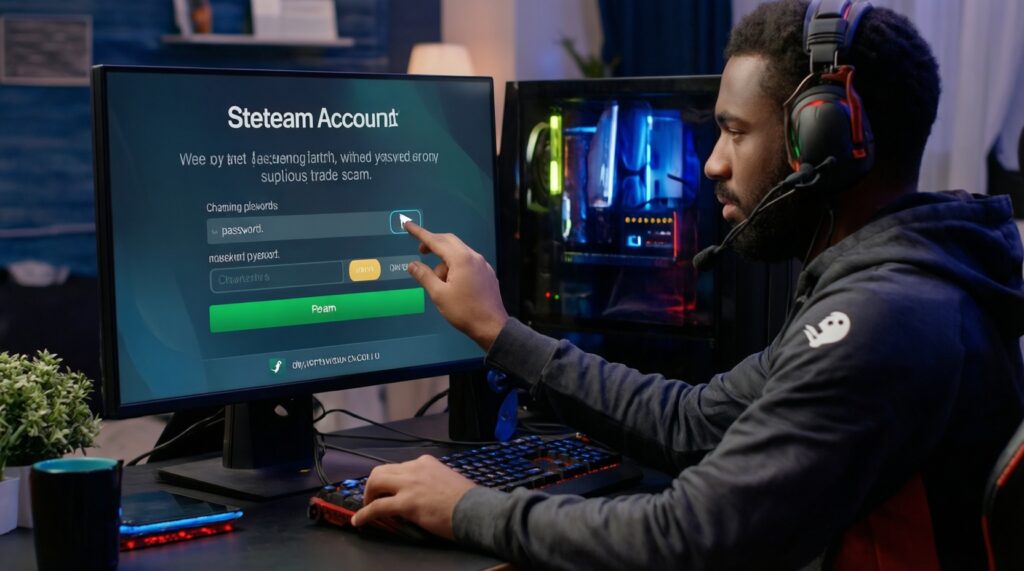
Stop trading, change your Steam password, secure your email, review logged-in devices, and only confirm trade offers you created. Then report the suspicious profile or link via Steam.
How to avoid Steam scams when someone offers "overpay" for my item?

Assume it's bait until proven otherwise, refuse external verification links, and stick to one verified account with one trade offer that matches the agreed terms.