
To pick the best tool for CS2 skin prices, combine three layers: a trustworthy marketplace view for real sale prices, a fast CS2 skin price tracker extension for browsing, and a CS2 skin price alert for timing buys. For Thailand, prioritize THB-friendly payouts, low fees, and consistent liquidity; then cross-check at least two sources for accuracy.
Snapshot: Best choices for budget CS2 price tracking
- Use one high-liquidity marketplace as your "truth source" for sold prices, not just listings.
- Pair it with lightweight CS2 skin price tracking tools (extension + alerts) to avoid paying for features you won't use.
- Prefer tools that show net proceeds after fees, not only headline prices.
- Cross-check 2 sources before acting on "cheap" listings to reduce stale/anchored pricing.
- Start with free alerts; upgrade only if you need faster notifications or more watchlists.
Top marketplaces for tracking cheap CS2 skins
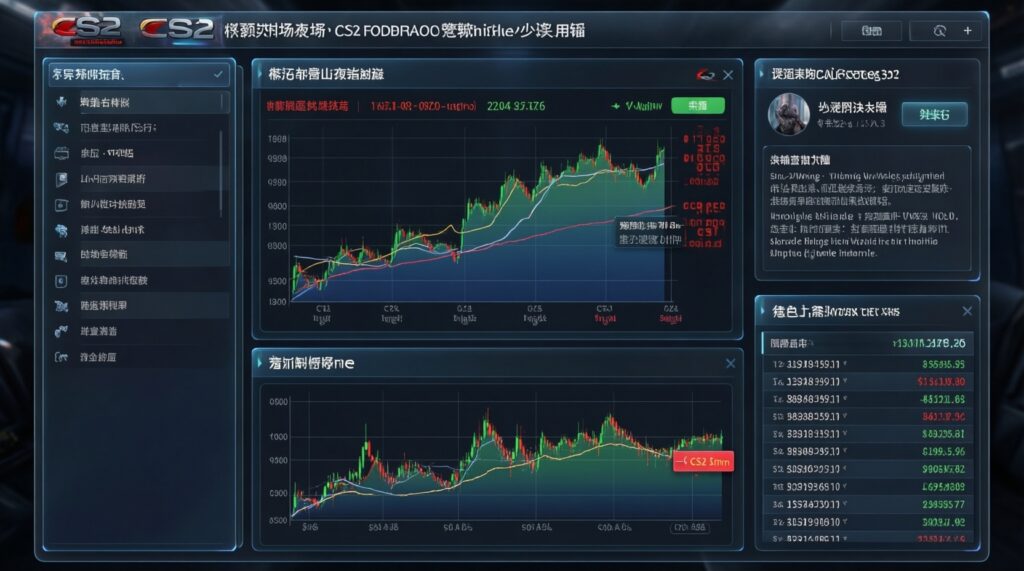
A "best CS2 skin marketplace" for tracking is the one that reflects real executed trades, has stable liquidity for your target items, and makes fees transparent. Use these criteria to choose where you anchor your pricing.
- Price type shown: last sold / recent sales history beats "current lowest listing" for decision-making.
- Liquidity signals: visible sales frequency, active buy orders, and tight spreads (avoid ghost markets).
- Fee transparency: clearly shows seller fees, withdrawal fees, and any currency conversion spread.
- Regional practicality (TH): payout options you can actually use in Thailand and predictable processing time.
- Currency handling: stable conversion display (THB view or clear FX rate) to prevent false "discounts."
- Data freshness: timestamps, cache indicators, and refresh behavior (stale data kills bargain hunting).
- Filters that matter: condition, float range, sticker presence, and "trade hold" visibility.
- Anti-manipulation cues: outlier filtering, chart smoothing toggles, and warnings on low-volume items.
Lightweight browser extensions that show live prices
A good CS2 skin price tracker extension should speed up browsing without replacing your main pricing source. Treat extensions as "context while you scroll": quick comparisons, fee-adjusted estimates, and one-click jumps to deeper charts.
| Variant | Who it fits | Pros | Cons | When to choose |
|---|---|---|---|---|
| Steam Market overlay price comparer | Intermediate users who shop directly on Steam | Fast on-page pricing context; minimal workflow change | Can rely on listings rather than true sold prices; may miss off-Steam deals | When your primary buying happens on Steam and you want quick sanity checks |
| Multi-market price sidebar (aggregator overlay) | Deal hunters comparing several markets | Side-by-side snapshots; reduces tab switching | Aggregation can be stale; "lowest price" may ignore fees/withdrawal friction | When you need fast cross-market scanning before deeper verification |
| Fee-adjusted profit calculator overlay | Flippers tracking net proceeds | Shows after-fee numbers; highlights hidden costs | Accuracy depends on correct fee presets; may not model FX spreads well | When you frequently compare "cheap" items that become expensive after fees |
| Inspect/float helper with price context | Buyers focusing on float/stickers | Connects item quality to pricing decisions; useful for niche premiums | Not ideal for bulk bargain scanning; can slow pages | When small quality differences drive most of the price (float/stickers) |
| Wishlist/watchlist tracker extension | Patient buyers monitoring a fixed set | Simple tracking; reduces noise; supports disciplined entry points | Limited discovery; alerts can be delayed without a backend service | When you track specific skins and want gradual, low-effort monitoring |
Tip: if your extension shows only one market, treat it as a convenience layer, not a decision layer. Always verify with your primary "truth source" marketplace before buying.
Alert platforms: free vs paid notifications and reliability
Alerts are where "cheap" becomes actionable. Reliability depends on polling speed, data freshness, and whether the alert triggers on listings, buy orders, or sold prices.
- If you're budget-first and monitoring only a few skins, then start with free alerts (email/Telegram/Discord) tied to your main marketplace and set wider thresholds to avoid noisy triggers.
- If you need speed for fast-moving drops, then consider a paid alert tier that offers faster refresh and more watchlist slots; keep the paid plan only during high-activity periods.
- If you flip and care about net profit, then choose alerts that can trigger on after-fee price levels (or pair basic alerts with a fee calculator workflow).
- If you trade across currencies (common in TH), then set alerts in the currency you settle in (or lock an FX assumption) to prevent "discount" alerts caused by rate swings.
- If you want a premium, low-maintenance setup, then use a managed alert platform with multiple sources plus redundancy (two channels, e.g., app push + Telegram) so you don't miss time-sensitive listings.
Budget emphasis: free alerts are enough for patient buying and stable items. Premium emphasis: paid alerts make sense when speed and higher watchlist volume directly improve your fill rate.
APIs and data feeds for building custom price monitors
When off-the-shelf CS2 skin price tracking tools don't match your workflow, APIs let you build exactly what you need (spreadsheets, Discord bots, or dashboards). Use this quick selection checklist:
- Define the trigger: listing price, sold price, buy order level, or spread threshold.
- Pick your "truth source" first: choose the marketplace whose executed trades you trust for your target skins.
- Check coverage: confirm the feed supports variants you care about (wear/float, special phases, stickers if relevant).
- Model fees and FX: store fee rules and conversion assumptions so alerts match real net cost/proceeds in TH context.
- Plan refresh behavior: decide polling frequency vs rate limits; avoid over-polling and getting blocked.
- Add de-duplication: suppress repeat alerts for the same listing and require confirmation from a second source for edge cases.
- Log outcomes: keep a simple history (what triggered, what you paid, what it later sold for) to validate accuracy.
Comparing fees, liquidity and price accuracy across sources
Most bad decisions come from mixing incompatible price types or ignoring friction costs. Watch for these common mistakes:
- Comparing listing price on one site to sold price on another and calling the difference "profit."
- Ignoring withdrawal and payout friction (fees, minimums, processing time) until after you buy.
- Not adjusting for FX spread when your tracking view isn't aligned with how you settle funds in Thailand.
- Using low-liquidity items as benchmarks where one odd sale distorts the chart.
- Trusting a single aggregator snapshot without checking timestamps or refresh indicators.
- Assuming all "lowest prices" are buyable (trade holds, region restrictions, or already-gone listings).
- Overweighting "average price" charts when the spread is wide; median-like behavior often matters more for fills.
- Missing condition/variant mismatches (similar names, different wears, phases, sticker value) that break comparisons.
Low-cost workflows: automate alerts, combine sources, minimize spend
Best for low budget: one primary marketplace as your anchor plus a free CS2 skin price tracker for quick checks and a basic CS2 skin price alert for a small watchlist. Best for active deal hunting: add a multi-source overlay and verify targets on a second market before buying. Best for automation-minded users: a lightweight API feed feeding a spreadsheet/Discord channel, with fee/FX adjustments built in.
Practical questions about monitoring CS2 skin prices
What should a CS2 skin price tracker measure: listings or sold prices?
Use sold prices to understand what actually clears the market. Use listings to time entry, but verify liquidity and spreads so you don't anchor to unrealistic asks.
Are CS2 skin price tracking tools accurate across all marketplaces?
Accuracy varies because marketplaces have different fees, liquidity, and trade restrictions. Cross-check at least two sources when a deal looks unusually cheap.
What's the safest way to set a CS2 skin price alert without getting spammed?
Start with a small watchlist and wider thresholds, then tighten once you learn typical daily ranges. Prefer alerts that include timestamps and the exact trigger condition.
Do I need a CS2 skin price tracker extension if I already use a marketplace chart?
Yes, if it reduces friction while browsing and helps you avoid tab switching. No, if it only repeats the same data without fee-adjusted context.
How do I decide the best CS2 skin marketplace for my tracking "truth source"?
Pick the one with consistent liquidity for your target items and clear sale-history visibility. Then confirm it's practical for Thailand in payout options and currency handling.
When is paying for alerts worth it?
Paid alerts are worth it when faster refresh and more watchlists lead to measurably better fills for you. If you buy patiently, free alerts typically cover the need.