A Web3 wallet for gamers is an app or device that proves you control a blockchain address used to hold tokens, NFTs, and permissions in Web3 games. It does not "store" items like an inventory; it stores keys and approvals. Before you bet or trade, focus on basic signing hygiene, seed phrase protection, and limiting permissions.
Core security concepts every gamer should master
- Your wallet controls an address; the blockchain records the assets.
- Signing a transaction can move funds; signing a message can grant access-treat both as security events.
- Seed phrase exposure is game over; screenshots and cloud notes are common failure points.
- Approvals (allowances) can be riskier than single transfers because they persist.
- Separate "play" funds from "vault" funds using different accounts or a cold wallet.
- Most wallet losses in gaming start with phishing links and fake dApps, not "hacks" of the chain.
Debunking common myths about Web3 wallets in gaming
Myth: "The wallet holds my items, so if the app crashes my NFTs are gone."
In a typical web3 gaming wallet setup, your assets live on-chain; the wallet is the tool that proves you're allowed to move them. If your wallet app breaks, you can usually restore access with the seed phrase-unless the seed phrase is compromised.
Myth: "The best crypto wallet for gaming is the one with the most features."
For betting and fast trading, security defaults matter more than extras: clear transaction previews, easy account separation, and safe network switching. "Best" often means "hardest for you to make a mistake with" on your phone.
Myth: "If I only sign messages, I can't lose funds."
Message signing can still be dangerous: it can log you into a site that later tricks you into approvals, or it can authorize actions in certain dApps. Treat every signature as a decision, not a popup to dismiss.
Myth: "A secure web3 wallet for gamers means no one can drain me."
Even strong wallets can't protect you from approving malicious contracts, entering your seed on a fake site, or installing a tampered wallet clone. Your process is part of the security model.
How wallets store and represent in-game assets and tokens
When people ask how do web3 wallets work, the practical answer is: the wallet manages keys and produces signatures, while the chain keeps the state (balances, NFTs, permissions). In games, that state is interpreted by the game client and marketplaces.
- Address identity: your wallet creates or imports an address; games map this to your player profile.
- Token balances: the chain tracks your fungible tokens used for fees, bets, or in-game purchases.
- NFT ownership: your "items" are tokens with unique IDs; marketplaces read ownership directly from the chain.
- Approvals/allowances: you may grant a game contract permission to spend specific tokens from your address.
- Signatures: the wallet signs transactions (state changes) and sometimes messages (authentication/claims).
- Networks: the same wallet can operate on multiple chains; selecting the wrong network is a common gaming mistake.
Private keys, seed phrases and authentication: practical implications
Security decisions show up in everyday gameplay flows. These scenarios are where crypto wallet security for gaming either holds or fails:
- Restoring on a new phone: entering your seed phrase is the highest-risk moment; only do it in the official wallet app from a trusted store, never in a browser form.
- Logging into a game via "Sign-in with wallet": you're binding your address to an account; verify the domain and avoid links from DMs and "airdrop" posts.
- Approving a token spend for betting: the wallet may show "Unlimited" approval; prefer limited approvals when possible, especially for high-value tokens.
- Trading an NFT item: you may sign a listing and later a sale; check the collection, token ID, and marketplace domain to avoid counterfeits.
- Using social login / MPC wallets: convenience improves recovery, but your security now depends on the provider and your account protection (2FA, device security).
Concrete action: keep your seed phrase offline, keep daily play funds separate, and assume any site that asks for your seed phrase is malicious.
Wallet interaction models used by games: hot, cold and custodial
Games and betting platforms commonly push one of three wallet models. Choosing a secure web3 wallet for gamers is often about choosing the right model for the right money.
| Model | What it is | Best for | Main risk | Practical safeguard |
|---|---|---|---|---|
| Hot wallet | Keys on your phone/PC, quick signing | Daily gaming, small bets, fast trades | Phishing, malware, risky approvals | Separate "play" account; limit approvals; verify domains |
| Cold wallet | Keys kept offline (hardware), signing via device | Long-term NFT storage, bigger bankroll | Operational friction; address confusion | Use for vault funds; send only what you need to hot wallet |
| Custodial | Platform holds keys (you log in like Web2) | Onboarding beginners, fiat rails | Account takeover; platform risk | Strong 2FA; withdrawal allowlists if available; minimize stored value |
Pros to leverage:
- Hot wallets: fast confirmations and easy switching between games and markets.
- Cold wallets: excellent containment-most phishing fails if the device never signs.
- Custodial wallets: recovery is simpler; fewer seed phrase mistakes.
Limits to respect:
- Hot wallets: you are one bad signature away from losing "play" funds-treat them like cash in your pocket.
- Cold wallets: not ideal for constant micro-bets; you'll be tempted to bypass it and weaken your habits.
- Custodial wallets: you don't fully control keys; withdrawals can be delayed or blocked by platform rules.
Real-world threats for gamers: phishing, rug pulls and malicious contracts
Most losses in a web3 gaming wallet happen because users follow convincing prompts. Focus on preventing these common failure modes:
- Phishing via "guild invites" and tournament links: fake Discord/LINE/Telegram DMs redirect to lookalike domains; the goal is to get you to sign or paste a seed phrase.
- Fake wallet extensions and cloned apps: installing the wrong wallet app can leak keys immediately; always verify publisher and reviews patterns, and avoid APKs from chat links.
- Malicious approvals disguised as gameplay: a "Claim reward" flow asks for token allowance; once approved, funds can be pulled later without another prompt.
- Rug pulls on in-game tokens: liquidity can vanish and tokens can become untradeable; treat hype-based launches as entertainment money, not bankroll storage.
- Blind signing: signing transactions you can't interpret; if the wallet UI doesn't clearly show what you're approving, stop and verify on an independent explorer.
One real-world example pattern: a "free skin airdrop" link leads to a fake claim page; you connect, then it requests an unlimited approval for a popular token "just to verify," and your balance is drained later.
Step-by-step safety checklist before betting or trading in-game
Use this quick routine before you place a bet, swap tokens, or list an item. It's designed for speed without skipping the checks that prevent most drains.
- Open the destination from a bookmark (not a DM). Confirm the domain and chain.
- Switch to your "play" account (separate address) and keep only the session bankroll there.
- Verify the asset: correct token/NFT collection, correct item ID, correct decimals/symbol (watch for lookalikes).
- Read the approval: avoid unlimited allowances; if you must approve, prefer a limited amount and revoke later.
- Simulate your intent mentally: "After this click, what can the contract do?" If the answer is unclear, don't sign.
- After the session: move profits to your vault (cold wallet or separate account) and clean up approvals you don't need.
Mini-case (practical flow): You're moving from a game lobby to a betting market. Instead of connecting your main wallet, you transfer a small session amount to a hot "play" address, place bets, then withdraw back to a cold vault. If a malicious contract is approved during the session, the damage is contained.
Brief answers to urgent security questions gamers have
What is a web3 gaming wallet in one sentence?
It's a wallet that controls a blockchain address used by games and markets to prove ownership and authorize transfers, trades, and in-game actions.
How do Web3 wallets work when a game asks me to "connect"?
The wallet shares your public address and can later request signatures so the game can verify you control that address. Connecting is low-risk; signing is where value can move or permissions can be granted.
What should I look for in the best crypto wallet for gaming?
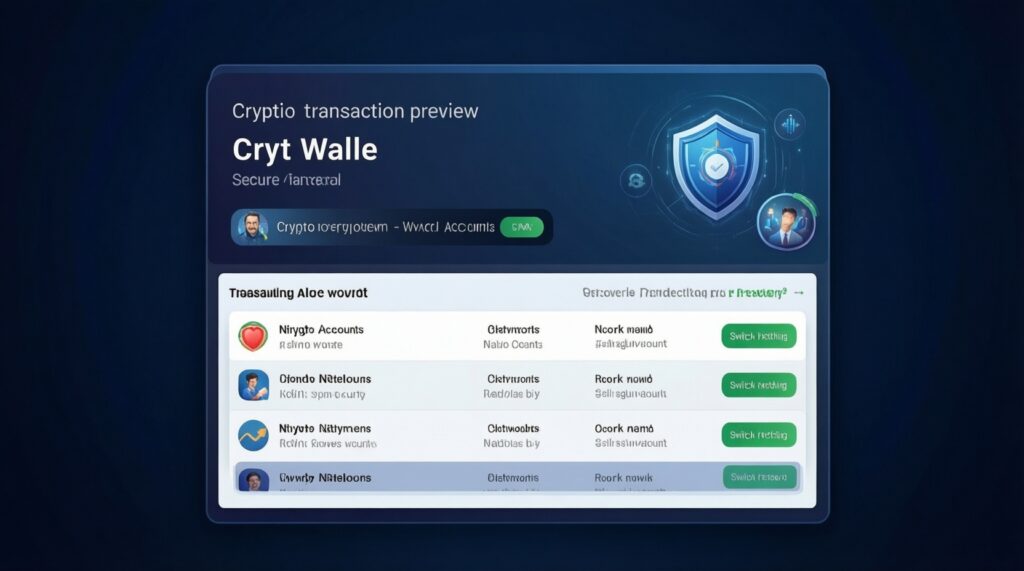
Clear transaction/approval previews, easy multi-account separation, reliable network switching, and safe recovery. Feature overload is less important than preventing blind signing and phishing mistakes.
Is a secure web3 wallet for gamers always a hardware wallet?
No. Hardware wallets are best for storage, but most gamers need a hot wallet for speed. The secure setup is usually a hot "play" wallet plus a cold "vault" wallet.
Can I be drained without giving my seed phrase?
Yes. If you approve a malicious contract (especially unlimited allowance), it may pull tokens later without asking again. Seed phrase theft is worse, but approvals are a common drain path.
What's the single biggest rule for crypto wallet security for gaming?
Never enter your seed phrase anywhere except the official wallet restore flow, and never because a website told you to. Any "support" or "verification" request for seed words is a scam.
Should I use custodial wallets offered by some games?
They can be fine for onboarding and small amounts, but you rely on the platform's account security and policies. Keep limited value there and withdraw to a wallet you control for long-term holdings.