


Steam Trade Hold is a Steam security restriction that delays item transfers after a trade is accepted, commonly for 7 or 15 days depending on account protections and recent changes. If you trade or bet with skins, the hold blocks instant deposits/withdrawals, increases timing risk, and can break "fast flip" strategies until your account is fully secured.
Practical summary - how Steam Trade Hold works and why it matters
- It is a transfer delay: the trade can be accepted, but items remain locked until the hold ends.
- Most holds are avoidable: stable Steam Guard Mobile Authenticator and no recent security changes reduce holds.
- Trading liquidity drops: you cannot immediately resell, swap, or move skins between platforms.
- Betting workflows fail: deposit/withdrawal requires quick delivery; holds turn "instant" into "wait days."
- Common mistakes trigger holds: device changes, removing authenticator, changing password/email, or unusual activity flags.
- "No hold" claims still rely on Steam rules: third-party sites can't bypass Valve's hold for Steam-traded items.
What Steam Trade Hold Is: mechanics, duration and triggers
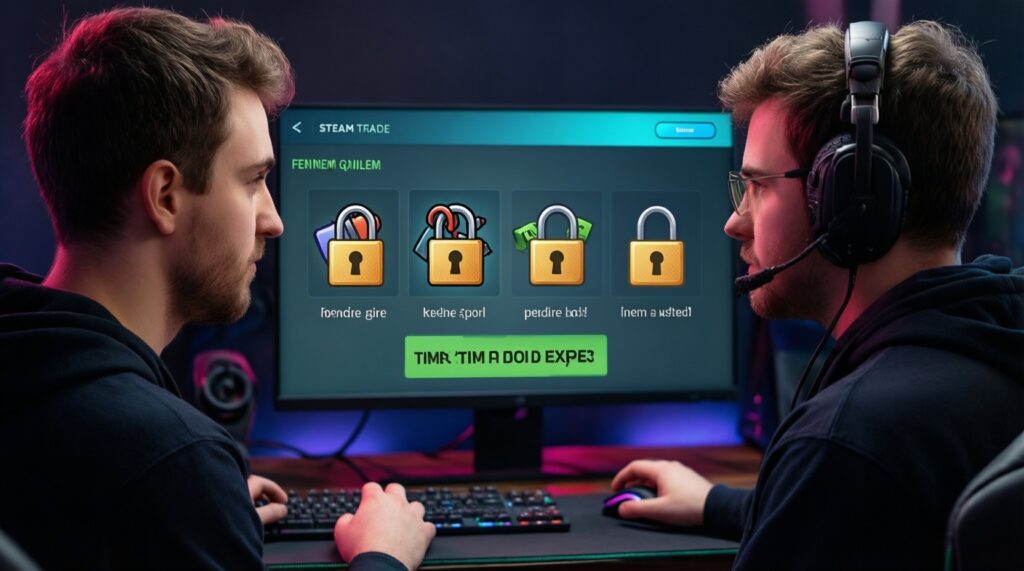
Steam Trade Hold คืออะไร in practical terms: a time lock applied by Steam to items involved in a trade. You and the counterparty may confirm the trade, but the items do not immediately change hands; they sit in a pending state until the hold expires or the trade is canceled.
Typical durations you will see in real usage are 7 days (older or specific confirmation scenarios) and 15 days (the most discussed case, e.g., Steam Trade Hold 15 วัน แก้ยังไง is usually about restoring proper mobile authenticator status and waiting out the protection window after security changes). The exact hold length depends on your account's current security posture and recent account events.
Trade holds are not the same as a game's "trade lock" (e.g., newly obtained items being untradable for a period) and not the same as a community market listing delay. A hold is specifically about trade delivery timing.
When and why Valve applies holds: two-factor, device changes and market flags
Valve applies holds to reduce account-takeover damage and to give time to recover trades if an account was compromised. These are the most common triggers and mechanisms:
- No Steam Guard Mobile Authenticator (or not active long enough): confirmations and delivery are treated as higher risk, so Steam adds a hold.
- Authenticator removed, re-added, or moved to a new phone: Steam may enforce a protection period where trades are held even if you can log in normally.
- Recent password/email/phone changes: security-critical changes increase risk scoring, often resulting in holds.
- Logging in from a new device/location plus other signals: unusual patterns can trigger extra friction.
- Trade URL / API key exposure behavior: if Steam detects patterns consistent with scams (e.g., frequent cancel/recreate trades), it may keep holds in place longer.
- Counterparty risk: even if your account is "clean," the other side's security state can affect whether the trade is held or delayed for them.
Direct consequences for skin trading: liquidity, pricing and counterparty risk
Steam Trade Hold มีผลต่อการเทรดสกินอย่างไร shows up as timing and reliability problems rather than "lost items." Common scenarios:
- Fast flipping breaks: you buy a skin to resell quickly, but the hold prevents immediate transfer to another buyer or marketplace.
- Price drift risk increases: while items sit in hold, market prices can move, and your expected margin disappears.
- Counterparty impatience: the other trader may refuse to wait, cancel, or demand a discount for the delay.
- Inventory management slows down: you can't rebalance between alt accounts, storage accounts, or different platforms on the same day.
- Higher scam surface: "helpful" strangers offer to "bypass the hold" (they can't) and push you into risky off-platform methods.
Effects on third‑party betting and deposit/withdrawal workflows
For skin betting or gambling-style sites, holds mostly impact deposits and withdrawals because those flows depend on near-real-time trade delivery.
What gets worse (operational limitations)
- Deposits are delayed: if your items are held, the site cannot receive them immediately, so your balance doesn't credit on time.
- Withdrawals can fail or expire: many systems generate a trade offer that expects timely acceptance; a hold can turn a "withdraw now" into "withdraw later," and some offers get canceled.
- Support load increases: users blame the platform, but the restriction is enforced by Steam at the account/trade level.
- Promotions and time-limited bets become impractical: any workflow requiring "bet within minutes" is incompatible with multi-day holds.
What can still work (practical paths)
- Plan-based betting: using skins that are already tradable and an account with stable authenticator status.
- Off-peak timing: initiating deposits/withdrawals when you can confirm promptly reduces offer cancellations (it doesn't remove the hold, but avoids compounding issues).
- Platform compliance checks: reputable services explicitly warn that Steam rules apply; claims like เว็บเดิมพันสกิน Steam ไม่มี Trade Hold should be treated as marketing, not a technical bypass.
Mitigation tactics: securing accounts, timing trades and platform compliance
If your goal is วิธีปิด Steam Trade Hold, the realistic approach is not a "switch" but restoring the account conditions that let Steam deliver trades instantly. Frequent mistakes and fast prevention:
- Mistake: removing Steam Guard Mobile Authenticator to "fix errors."
Prevention: keep the mobile authenticator enabled; if you must change phones, transfer it properly and expect a protection window. - Mistake: changing email/password/phone right before a big trade.
Prevention: do security maintenance days/weeks before trading; avoid stacking changes close together. - Mistake: sharing trade links/API key with random "bot checkers."
Prevention: don't paste your Steam API key anywhere unnecessary; revoke/regenerate it if you suspect exposure, and re-check your trade confirmations carefully. - Mistake: assuming "site bots" can override Steam.
Prevention: understand that any Steam-based deposit/withdrawal is still a Steam trade; if Steam enforces a hold, the bot cannot force delivery. - Mistake: accepting last-minute offers under time pressure.
Prevention: pre-negotiate timing and confirm both sides' security status; if a hold appears, pause and re-plan rather than forcing a risky workaround.
Latest Valve rule updates and what changed for traders and bettors
Valve's trade security behavior tends to evolve around one consistent theme: more friction when account risk increases, and smoother trading when mobile confirmation and account stability are maintained. For traders and bettors, the practical "update" to internalize is that any security change can reset your ability to move items quickly, even if you can still log in and see your inventory.
Mini-case (timing logic you can apply when planning deposits/withdrawals):
If you changed authenticator / phone / password recently:
  assume a multi-day hold may appear
  avoid time-limited trades and betting withdrawals
Else:
  confirm trades promptly via mobile authenticator
  keep sessions/devices stable to avoid risk flags
Quick self-check before trading or depositing skins
- Mobile authenticator is enabled and has been stable (no recent removal/re-add).
- No recent password/email/phone changes right before the trade window.
- You can open Steam Mobile and confirm trades immediately (no locked-out session).
- You are not relying on any promise to "bypass" holds from a third party.
- You have a backup plan if a hold appears (delay, alternate timing, or different asset).
Concise answers to common trade‑hold scenarios
Can I fully disable a Steam trade hold?
You can't toggle it off manually; Steam applies it based on account risk and protections. What people call วิธีปิด Steam Trade Hold is usually restoring mobile authenticator stability and avoiding risky account changes.
Why did I get a 15-day hold and how do I fix it?
Steam Trade Hold 15 วัน แก้ยังไง typically means your account recently changed security state (authenticator/device/password). The fix is to re-secure the account, keep the authenticator enabled, and wait out the protection window.
Does the other trader's security settings matter?
Yes. Even if your account is stable, the counterparty's risk state can result in a held trade or a trade they can't complete quickly.
Will a skin-betting site bypass Steam's hold?
No. Claims like เว็บเดิมพันสกิน Steam ไม่มี Trade Hold don't change Steam's enforcement on Steam-traded items; the platform can only operate within Steam's trade rules.
What is the biggest trading risk caused by holds?
Timing risk: you can't move inventory when you need to, so pricing and liquidity assumptions break. This is the core of Steam Trade Hold มีผลต่อการเทรดสกินอย่างไร for active traders.
Are trade holds the same as item trade locks?
No. A hold delays delivery of an accepted trade; a trade lock makes an item untradable for a period regardless of trade confirmation.
If I cancel a held trade, do I lose the items?
Canceling a pending held trade should return items to their original owners. The risk is opportunity cost and confusion-not a legitimate "fee" to cancel.