
Steam item trading is safest and most profitable when you treat every trade like a verification workflow: confirm Valve limits and holds, verify the counterparty's identity, use Steam trade tools correctly, and price with current market spreads in mind. This steam trading guide focuses on secure steam trade offers, how to avoid steam item trading scams, and practical profit tactics.
Essential Rules for Secure Steam Trading
- Never accept "verification" requests, item checks, or "API key" fixes outside Steam.
- Confirm trade holds, cooldowns, and account restrictions before negotiating a deal.
- Verify the exact profile and trade link; don't trust screenshots, names, or lookalike accounts.
- Review the trade window item-by-item; assume last-second swaps will happen.
- Prefer Steam-native flows (trade offer + mobile confirmation) over off-platform "escrow."
- Price using current market listings and net proceeds; don't price from outdated "last sold" alone.
Understanding Valve's Market Rules, Trade Holds, and Account Limits
This applies to anyone doing steam item trading for skins, collectibles, or giftable items where mistakes are irreversible. Skip trading (or pause negotiations) when any of the conditions below applies, because it increases lockups and scam surface area.
- Your account lacks Steam Guard Mobile Authenticator or it was recently changed/removed.
- You cannot see a clear "You will receive" item list (only vague promises like "after you send").
- The other party insists on moving to DMs/Discord and avoiding Steam trade offers.
- You're trying to buy steam items with a payment method that can be charged back and the seller has no durable reputation.
Fast pre-check (60 seconds)
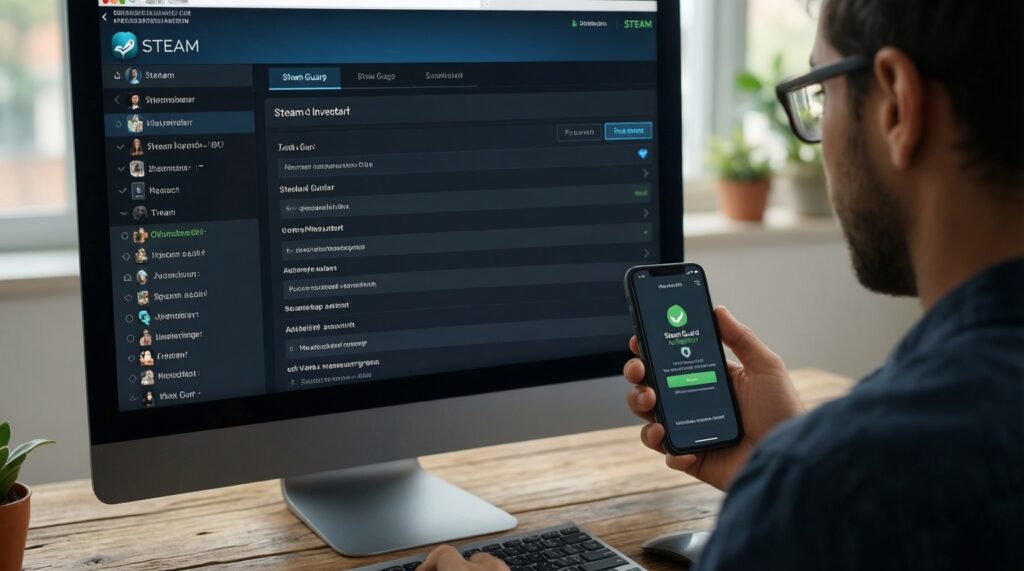
- Open your Inventory → Trade Offers → Who can send me Trade Offers?
- Confirm Steam Guard Mobile Authenticator is active on the same device you will use to confirm trades.
- Open your Trade URL and confirm it's the one you'll share (not a copied link from chat).
Verifying Counterparties: Profiles, Trade History, and Reputation Signals
For intermediate traders, the goal is not "trust," but identity certainty and process control. You'll need direct access to Steam profile pages, the official trade offer flow, and at least one independent cross-check method.
What you need before you negotiate
- Steam profile URL of the counterparty (opened in a browser, not only in chat).
- Trade offer link from the counterparty's Steam page: Who can send me Trade Offers?
- Your own trade token awareness: treat it like a password; don't reuse it in public posts.
- Mobile confirmations working: Steam app notifications and confirmations tab accessible.
- Sanity-check channel: a second device or browser profile to re-open links without chat auto-redirects.
Concrete profile checks (do these, not "looks legit")
- Open their profile and verify Steam level, badges, and years of service are internally consistent (avoid fresh profiles impersonating known traders).
- Check inventory visibility; if hidden, treat the deal as higher risk unless you already know them.
- Click View inventory → confirm the relevant items exist and match the item names/variants you're negotiating.
- Use the profile's Trade Offer button or their official trade offer link; never use a link pasted by a "middleman."
Spotting and Neutralizing Common Scam Techniques
-
Neutralize lookalike profiles and "same name" impersonation
Scammers copy avatars, names, and comments to mimic reputable traders. Only trust the unique profile URL you verified yourself, and open it from Steam community pages rather than from chat short-links.
- Re-open the profile in a fresh browser tab and compare the full URL.
- Use the profile's built-in trade offer button instead of a DM link.
-
Stop "API key / trade link hijack" patterns
If a scammer controls your session or API key, they can redirect your outgoing steam trade offers to another account. The fix is to revoke access and regenerate clean session state, not to "verify" with bots.
- Log out of Steam on all devices, then log back in and re-check the trade offer recipient.
- If anything feels off, don't send items-pause and audit account access before continuing.
-
Reject "item verification," "price check bot," and "anti-duplication scan" requests
Legitimate trades don't require sending items to confirm they are real. This is the most common entry point for steam item trading scams targeting intermediate users.
- Insist on a standard trade offer with the full item list visible.
- Ignore any off-platform site demanding Steam login or "scan."
-
Defend against last-second item swaps
Scammers rely on you confirming quickly on mobile after they change one item (wear/variant/collection) to a cheaper lookalike. Slow down and re-verify every line in the trade window.
- Before confirming, scroll the entire offer and open each item tooltip/inspect link.
- If the other party pressures you, cancel and resend the trade offer yourself.
-
Avoid fake escrow/middleman "guarantees"
Most "trusted middleman" claims are social-engineering. If you must use a third party, it should be a known, established bot service you independently verify-never a user added mid-chat.
- Do not send items to a "holder" account without a Steam trade offer showing exact return items.
- Prefer Steam-native trade offers and confirmations over manual escrow promises.
Quick scam-sign to action map (use during negotiations)
| Sign | Risk Level | Immediate Step |
|---|---|---|
| They ask you to "verify" items by sending them first | High | Stop. Only proceed via a standard Steam trade offer showing both sides. |
| Trade recipient changes after you click your own trade link | High | Cancel the offer, log out everywhere, re-open links from Steam profile, and re-check recipient. |
| Pressure to confirm fast ("limited time", "buyer waiting") | Medium | Slow down and re-check every item line; if rushed, walk away. |
| They insist on an off-platform site login | High | Don't login. Use Steam community pages and official trade offers only. |
| "Middleman" joins the chat and shares a trade link | High | Ignore the link; verify identity independently or don't use middlemen. |
| Items in the offer look similar but have different wear/variant | Medium | Open each item tooltip/inspect; compare exact names and attributes before confirming. |
Fast mode: 4-step safe-trade algorithm
- Verify the exact profile URL, then open their official trade offer link from their profile page.
- Build the trade offer yourself; match every item name/variant; don't rely on chat promises.
- Re-check the recipient and the full item list right before mobile confirmation.
- Confirm only when the trade offer shows correct items both ways; otherwise cancel and restart.
Safe Trade Execution: Using Steam Tools, Third‑Party Bots, and Escrow Alternatives
Use Steam trade offers as the default execution tool; it's the most auditable format and minimizes ambiguity. Third-party bots can be acceptable for specific marketplaces, but only when you can independently verify the bot identity and the deposit/withdrawal steps.
Post-offer verification checklist (confirm "done" safely)
- Recipient is the exact intended Steam account (open profile from the offer and compare with your verified URL).
- All items you give/receive match exact names, variants, and attributes (not just similar icons).
- No "placeholder" promise exists (e.g., "I'll send the rest later").
- You confirmed via Steam Mobile Authenticator without rushing; you reviewed the offer on the confirmation screen.
- After completion, you see the received items in Inventory and they are tradable/usable as expected.
- If you used a bot, the bot account is consistent across the service's official pages and the trade offer sender.
- You saved the trade offer link or trade confirmation record for dispute context.
Pricing Strategies: Market Data, Margins, and Short‑Term Flips
Profit in steam item trading comes from spreads, timing, and risk control-not from guessing. Use a consistent pricing routine and treat liquidity as part of the price.
Common pricing mistakes that kill margin
- Pricing from "last sold" only instead of current buy/sell listings and realistic fill time.
- Ignoring fees (net proceeds matter, especially when you buy steam items to resell).
- Overpaying for illiquid items because a single high listing anchors your expectations.
- Mixing currencies and regions without a consistent baseline (important for traders in TH who compare external quotes).
- Assuming every item is instantly cashable; liquidity risk is real even when "price looks good."
- Chasing pumps where the spread widens and you become exit liquidity.
- Not defining your flip window (hours/days/weeks), leading to forced sells.
- Trusting off-platform DMs for pricing rather than verifying through visible listings and your own records.
Practical profit routine for intermediate traders
- Before sending steam trade offers, record the item's current lowest sell listing and typical buy-side reference you can realistically hit.
- Set a target margin that covers fees, time-to-sell, and a buffer for price drift.
- Prefer repeatable niches (high-volume items, common skins) over "one lucky deal" hunting.
- After selling, log net proceeds and time-to-fill; adjust your acceptable spread accordingly.
Operational Hygiene: Record‑Keeping, Chargebacks, and Long‑Term Risk Control

If you plan to trade regularly, operational discipline matters more than single-trade tactics. Use alternatives below when your current method increases fraud exposure or slows you down.
Alternatives that reduce risk (when they are appropriate)
- Steam-native trading only (trade offer + mobile confirmation)
Best when you prioritize security and clarity over speed, and when both sides can trade directly without "escrow." - Reputable marketplace bots
Best when you need fast conversion and standardized flows; only use services where the bot identity and deposit/withdrawal steps are independently verifiable. - Small-limit testing
Best when dealing with a new counterparty: do a low-value trade first to validate behavior before any higher-value deal. - Personal ledger + screenshots/links
Best for long-term risk control: log trade links, counterpart profile URLs, and what was agreed, so you can detect patterns and avoid repeat offenders.
Quick Practical Answers to Frequent Trading Dilemmas
Should I accept a trade if the other person asks me to "send first" for verification?
No. Legitimate steam item trading never requires you to transfer items for checks; only proceed with a standard Steam trade offer that shows both sides clearly.
Why do my steam trade offers keep going to the wrong person?
Cancel the offer immediately and re-open the counterparty profile and trade link from their Steam page. Don't reuse links from chat; rebuild the offer after you re-verify the recipient account.
Is it safe to use a "middleman" from Discord or a group chat?
Not by default. Treat unsolicited middlemen as high-risk; prefer Steam-native trading or a marketplace bot you can verify independently.
What's the fastest way to verify the exact account I'm trading with?
Open their Steam profile in a browser, then use the profile's own trade offer button or their official trade offer link. Names and avatars are not identity.
How do I reduce my risk when I'm new to a specific trader but want the deal?
Use a small-limit test trade first and log the trade offer link and profile URL. If they refuse a test and pressure you, walk away.
How can I profit without falling for steam item trading scams?
Stick to repeatable pricing rules, verify identity every time, and avoid off-platform "verification" flows. Most scam losses happen when traders trade speed for certainty.