
A fake trading bot is usually a real-looking Steam or Discord account that pushes you into a rushed trade, a suspicious link, or a "verification" step outside Steam. To spot it safely, verify identity signals, inspect the trade offer details, check bot-like behavior patterns, and refuse any off-platform login or item "checking" process.
Critical Red Flags Overview
- The account claims to be a steam trading bot but asks you to "confirm" via an external site or QR login.
- A "steam trade offer scam" pattern: urgency ("10 minutes left"), threats ("ban incoming"), or "support/admin" impersonation.
- The trade offer includes wrong items, swapped conditions, or "temporary hold" excuses that push you off Steam.
- A discord trading bot DMs you first, then routes you to a lookalike domain, shortened link, or "middleman" server.
- Profile proof is copy-pasted: identical comments, templated vouches, or "API verified" claims without official context.
- The "bot" refuses simple verification like posting a public comment on a known official group or matching a pinned trade URL.
Authentication and Account Signals
Best for: intermediate traders who already know how Steam trade offers work and want a fast checklist to validate a steam trade bot claim before sending items.
Do not proceed when:
- You feel rushed, threatened, or asked to "fix" an issue by logging in somewhere else.
- The account claims to be Steam Support, a tournament admin, or an "official" inventory checker.
- You are asked to disable Steam Guard, share SMS codes, or "confirm" through a QR on a third-party page.
- The bot can't be verified using only in-Steam signals (profile links, group affiliation, pinned trade URL).
Trade Offer Content and Pricing Anomalies
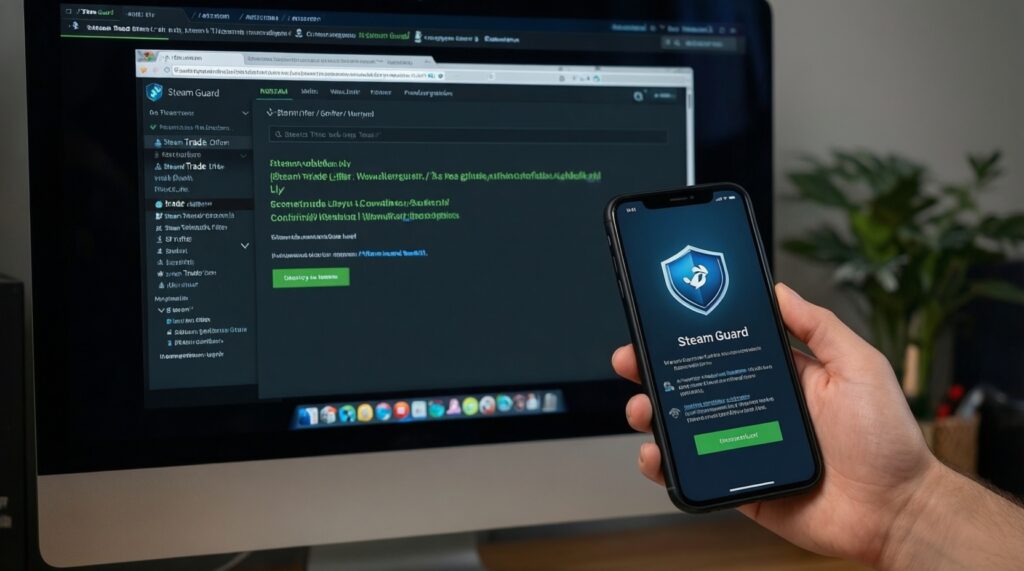
Prepare these safe tools and access before evaluating any csgo trading bot or other game-skin trade:
- Steam Mobile Authenticator (Steam Guard) enabled on your phone (so you can review confirmations carefully).
- Your Steam Trade Offer URL from Steam settings (so you can compare against any "official" posted URL).
- A second view of the offer (Steam mobile app and desktop) to catch swapped items/quantities.
- Screenshots with timestamps of the profile, chat, and the exact offer screen (useful if you need to report).
- Basic link inspection (long-press to preview on mobile; hover to preview on desktop; avoid clicking shortened links).
Bot Behavior Patterns on Steam
Preparation mini-checklist (30 seconds):
- Open the trader's Steam profile in a browser and in the Steam client (two views reduce spoofing mistakes).
- Open the exact trade offer screen and keep it open while you verify identity.
- Pause the chat and stop responding to urgency messages for 2-3 minutes.
- Write down the profile URL, SteamID, and the stated "bot name" (text often changes mid-scam).
-
Confirm the trade offer originates from the expected account
Open the offer and click the sender's profile from inside the offer window. Compare that profile link to any "official bot list" you already trust (not one they DM you). If the profile differs even slightly, treat it as a fake.
- Example phrasing: "This is our new bot, old one is banned."
- Safe action: cancel the offer and re-initiate only via the platform's official, bookmarked bot page.
-
Audit the offer line-by-line for swaps and mismatches
Look for substituted items, different wear/rarity, or an extra low-value item that "replaces" a high-value one. Scammers rely on fast scrolling and similar-looking icons.
- Check: item name, quantity, condition, and whether anything is on hold or not tradable.
- Example: "Same knife, just different float" (but it's a different item).
-
Reject any "verification trade" or "price check trade" request
A legitimate steam trading bot does not need you to send items "to verify" and then "send back." If the process involves you trading away items first with a promise of return, treat it as a scam.
- Example phrasing: "Send to bot for 60 seconds, we return immediately."
- Safe action: keep items; use a trusted marketplace's built-in valuation tools instead.
-
Watch for automation tells in messaging and timing
Bot scripts often respond instantly with repeated blocks of text and push you into a narrow flow: "Step 1 login, Step 2 verify, Step 3 confirm." If responses ignore your questions or repeat after you ask for proof, stop.
- Example: identical reply within seconds, even at odd hours in TH time.
- Safe action: ask one specific question ("Post a comment on your official group post with today's date") and see if it's answered precisely.
-
Refuse off-platform logins and API-related panic claims
If someone says your "API is hacked" and gives you a link to "revoke" or "fix," that's a classic lead-in. Only manage Steam API keys and security from official Steam pages you reach by typing the domain yourself.
- Example phrasing: "Your account will be trade-banned unless you re-auth now."
- Safe action: stop chatting, open Steam in a fresh tab, and review security from your own bookmarks.
Discord Integration and Link Safety
- Do not trust a discord trading bot just because it has a "Verified" badge in a server; verify the server and the bot's role permissions.
- Expand every link before opening it (no shorteners; no "steamcommunity" misspellings; no extra hyphens or odd subdomains).
- Never scan QR codes for "Steam login" from Discord messages; use the Steam app only when you initiated the login yourself.
- Check whether the bot tries to move you to DMs after you ask for public proof in the server.
- Confirm the trade link is posted in a pinned, read-only channel by known admins (not in a newly created channel).
- Look for "support tickets" that ask for screenshots of your Steam Guard codes or email-stop immediately.
- Be suspicious of "middleman required" claims unless the server has a long-standing, well-known escrow process you already understand.
- Screenshot the message containing the link and the user ID; scammers often delete messages after clicks.
Verifying Social Proof and Reputation
- Relying on profile comments alone: purchased comments often look real but repeat the same short templates ("fast trade", "legit bot").
- Assuming group membership equals legitimacy: scammers join the same groups to blend in.
- Trusting "rep screenshots" posted in Discord: images are easy to fabricate; prefer links to verifiable, public records.
- Accepting "I'm an admin/mod" without cross-checking the server's member list and role history.
- Not comparing the bot's posted trade URL against a known official source you already bookmarked (scammers provide their own "official list").
- Skipping a simple challenge: asking the account to post a dated comment in a specific public place (scammers often refuse or redirect).
- Believing "new bot account" excuses when the old one is "banned" or "rate limited."
- Ignoring mismatch between message claims and the offer itself (wrong items, wrong direction of trade, odd notes).
Immediate Mitigation Steps and Response Plan
- Use only Steam-native trading when you can: keep the entire flow inside the Steam trade offer UI; decline anything requiring external login or verification.
- Switch to a trusted marketplace's built-in bot flow when you need automation: use the platform's official site you access via bookmarks, and confirm bot identities from their official on-site list.
- Pause and escalate to server moderation when Discord is involved: report the user/bot, share message links/screenshots, and ask for confirmation in a public channel before taking any action.
- Lock down your account when you clicked a link or logged in: change Steam password, review authorized devices, revoke suspicious access, and stop trading until you re-verify your security settings.
Common Concerns and Quick Answers
Is every steam trading bot risky?
No, but any bot that asks for off-Steam login, "verification trades," or urgency-driven steps is risky. Legit bots should be verifiable through official, bookmarked platform pages and consistent in-Steam identity.
What's the fastest way to detect a steam trade offer scam?
If you're asked to send items first to "verify" or to fix an "API issue" via a link, stop. Then confirm the sender identity from inside the trade offer and compare it with a known official source you already trust.
How can I tell if a discord trading bot link is fake without clicking it?
Preview the full URL and look for misspellings, extra subdomains, or shortened links. If you can't verify the domain by typing it yourself and navigating from the official homepage, treat it as unsafe.
Can a fake steam trade bot copy a real bot's name and avatar?
Yes. Names and avatars are trivial to copy, so verify the profile URL/SteamID and the trade URL from an official, bookmarked page-not from a DM.
Why do csgo trading bot scams focus on "quick checks" and "temporary holds"?
Because speed reduces your ability to notice swapped items or wrong trade direction. Any process that discourages careful review of the offer details is a red flag.
If I already accepted an offer, what should I do first?
Stop further trades, capture screenshots of the offer and chat, and secure your Steam account (password/device review). Then report the account and message logs through the relevant platform channels.