

Steam trading is safe when you understand time locks, keep Steam Guard Mobile Authenticator active, and verify every trade offer before confirming. Most "lost items" cases come from rushed confirmations, social engineering, or item-swaps. Use the checklists below to trade items with predictable holds (often up to 7 days) and reduce scam risk in Thailand.
Critical Trade Rules - Quick Overview
- Expect time-based restrictions: a trade can be delayed by a hold, and some accounts/items can face additional locks.
- Keep Steam Guard Mobile Authenticator enabled and stable; changes to security settings can trigger longer delays.
- Only confirm trades inside the official Steam Mobile app; never via QR from strangers or third-party "verification" pages.
- Check the trade offer item-by-item right before you press Confirm; scams often happen at the last screen.
- Use official paths: Inventory → Trade Offers and your partner's real Steam profile, not a lookalike link.
- Save evidence (screenshots, profile links, offer ID) before confirming, so you can report accurately if needed.
Understanding Steam's Trading Policies and Time Locks
This guide fits you if you trade Steam Community Market items or game skins and want a consistent workflow for วิธีเทรดสตีม without falling for common traps. It's especially useful when you're confused by messages about holds/locks or you're trying to understand Trade Lock Steam คืออะไร in practical terms.
Skip trading (or pause it) if:
- Your account security is unstable (recent password/email/device changes) and you can't keep mobile access.
- You're being pressured to "trade now" to avoid a ban, recover an item, or "verify" inventory-those are classic scam setups.
- You can't identify the exact Steam profile you're trading with (same name/avatar scams are common).
How Steam Guard and the Mobile Authenticator Affect Trade Flow
To trade with fewer delays and safer confirmations, you'll need these basics in place:
- Steam Guard Mobile Authenticator: Steam mobile app signed into the correct account; notifications/confirmations must work.
- Stable account recovery info: access to your email and phone number (where applicable).
- Inventory access: Steam → Inventory → Trade Offers (web or client) to review offers without third-party tools.
- Patience for delays: some scenarios cause a trade hold (commonly up to 7 days). Many users search ยกเลิก Trade Hold Steam, but in practice you usually can't "cancel" a hold instantly-planning is the real fix.
Operational rule: confirm only from Steam Mobile app → Confirmations. If someone asks you to confirm on a website, through a "Steam admin" chat, or by scanning a random QR, stop.
Pre-trade Preparation Checklist: Accounts, Items, and Proofs
Prep mini-checklist (do this before you open any offer):
- Update Steam Mobile app and ensure you can receive confirmations.
- Log out of unknown devices: Steam → Account Details (or web) → manage devices/sessions.
- Review your trade URL and privacy: Profile → Edit Profile → Privacy Settings.
- Decide your "no-rush" rule: if you feel pressured, you don't trade.
- Prepare proof folder: screenshots, profile links, and timestamps.
-
Confirm you're on the real Steam profile - Open the trader's profile from your friend list or direct Steam Community URL, not from a screenshot. Compare the profile level, past names (if visible), and friends-in-common.
- Tip: scammers often clone a trusted trader's avatar/name and DM you first.
-
Check for holds/locks before negotiating - Go to Inventory → Trade Offers and attempt a test offer (without confirming) to see whether Steam shows a hold. This is where you'll learn what's happening when you ask "Trade Lock Steam คืออะไร" for your account.
- If Steam indicates a hold, tell the other party your expected delay and decide whether to proceed.
-
Validate the exact item(s) and conditions - Confirm game, item name/variant, and any visible attributes in your inventory view. Never rely on a chat description or an image preview alone.
- Open each item's details page from your inventory to reduce lookalike confusion.
- Collect proof before you send anything - Save: the other party's profile link, the chat agreement (brief), and screenshots of the item(s) in your inventory. This supports reporting later and helps you ซื้อขายไอเทม Steam อย่างปลอดภัย with consistent records.
- Set a one-off "verification" ban - Refuse any request to "verify", "check ban status", "API check", "middleman bot", or "Steam admin review". Those are typical pretexts used to ป้องกันโดนสแกม Steam.
Spotting Social-Engineering and Item-swap Scams
- Someone claims they are Steam Support/admin and asks you to trade items "for verification".
- You're told you must act within minutes or you'll be banned, lose a case, or lose a buyer.
- A "friend" suddenly messages from a new account, or your real friend says they "lost access" and sends a new profile link.
- You're asked to click a link to "log in to Steam" that isn't the official Steam domain; phishing pages mimic the login screen.
- The other party changes the offer right before you confirm (item-swap), hoping you won't re-check.
- They insist on moving to another app for "faster confirmation" while sending you links/QR codes.
- They ask you to disable Steam Guard, remove the authenticator, or change password/email "to fix the hold".
- They request an "API key check" or ask you to "revoke API" using a link they provide (often a fake page).
Execution Checklist: Safe Offer Creation and Verification Steps
- Mistake: confirming from notifications without opening details. Fix: open Trade Offer and review every item line-by-line before confirming.
- Mistake: trading from a profile opened via a chat link. Fix: open the partner profile from Steam Community search or your friend list; verify it matches the intended person.
- Mistake: ignoring a hold message and assuming it can be bypassed. Fix: treat holds as schedule constraints; don't try "shortcuts" when searching ยกเลิก Trade Hold Steam.
- Mistake: accepting "middleman/bot escrow" suggested by the other party. Fix: only use processes you control; random bots are a common loss pattern.
- Mistake: not checking you're logged into the correct account. Fix: in Steam (web/client), confirm your account name at the top before creating or accepting offers.
- Mistake: trusting identical avatars/names. Fix: compare the full profile URL and SteamID; names are not unique.
- Mistake: trading while your account security is changing. Fix: avoid trading right after password/email/phone changes; wait until everything is stable and confirmations work.
- Mistake: skipping your own record-keeping. Fix: save offer ID and screenshots before final confirmation, especially for high-value items.
Incident Response: Disputes, Recovery Steps, and Reporting
If you suspect a scam or you confirmed the wrong trade, act quickly and focus on containment and reporting:
- Contain the account first - Change your Steam password, secure your email, and review authorized devices/sessions. Re-check Steam Guard Mobile Authenticator access on your phone.
- Document everything - Save the trade offer link/ID, the scammer profile URL, chat logs, and timestamps. Don't edit messages; screenshots are fine.
- Report through Steam - From the scammer's profile: More → Report Player. From the offer: Inventory → Trade Offers → open the relevant offer and report where available.
Alternatives that can be appropriate depending on your situation:
- Cancel pending offers if you created them and they are not yet accepted/confirmed.
- Remove unknown friends and block the account to reduce continued pressure and link spam.
- Pause trading temporarily while you re-secure accounts and verify that your authenticator and email are clean.
- Coordinate with your real friend (if impersonation happened) using an out-of-band channel to confirm identity before any future trade.
Clarifications and Quick Answers for Common Trading Scenarios
Why do I see a trade hold even though I have Steam Guard?
Some security or account changes can trigger delays. Treat it as a scheduling issue: don't look for bypass links, and keep your mobile authenticator stable.
Can I "ยกเลิก Trade Hold Steam" instantly?
Usually no; holds are time-based safeguards. The practical approach is to avoid triggering them (don't change security settings right before trading) and plan for the wait.
Trade Lock Steam คืออะไร in plain terms?
It's a restriction that prevents immediate item transfer in certain conditions, such as security changes or risk signals. It's designed to reduce theft after account compromise.
What is the safest place to confirm a trade?
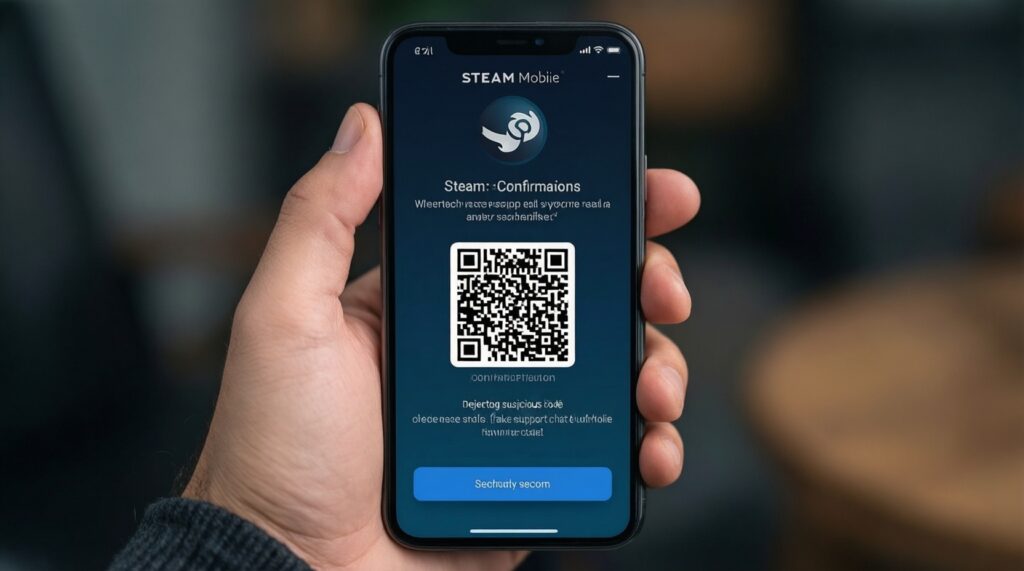
Only inside the official Steam Mobile app under Confirmations. Never confirm through a website, QR code from a stranger, or a "support" chat.
How do I do วิธีเทรดสตีม with minimal risk?
Verify the real profile URL, review the offer item-by-item, and confirm only in the Steam Mobile app. Keep evidence (offer ID, screenshots) before final confirmation.
What's the simplest rule to ซื้อขายไอเทม Steam อย่างปลอดภัย?
Re-check the offer at the last screen and refuse any "verification" trade. If you feel rushed or confused, stop and trade later.
What should I do first to ป้องกันโดนสแกม Steam if I clicked a suspicious link?
Immediately change your Steam password and secure your email, then review active sessions/devices. After that, check trade offers and confirmations for anything you didn't initiate.